Quickly Explain Anomalies in Your P&L With the Help of AI-Generated Commentary
Mayday Flux




Flux is helping teams save hours across the globe


"I've been using the P&L review and I LOVE it!"

“We love this new product. We like to use it as a quick, one stop shop for identifying any bills that are not loaded yet or might be coded incorrectly. This previously took so much longer for our organisation. The ability to tick off accounts as 'reviewed' and leave comments also helps us review variances collaboratively and avoid doubling up on checks."

“Flux is so quick for such a solid P&L overview, and the commenting just makes life so much easier"
How does Flux save you time?
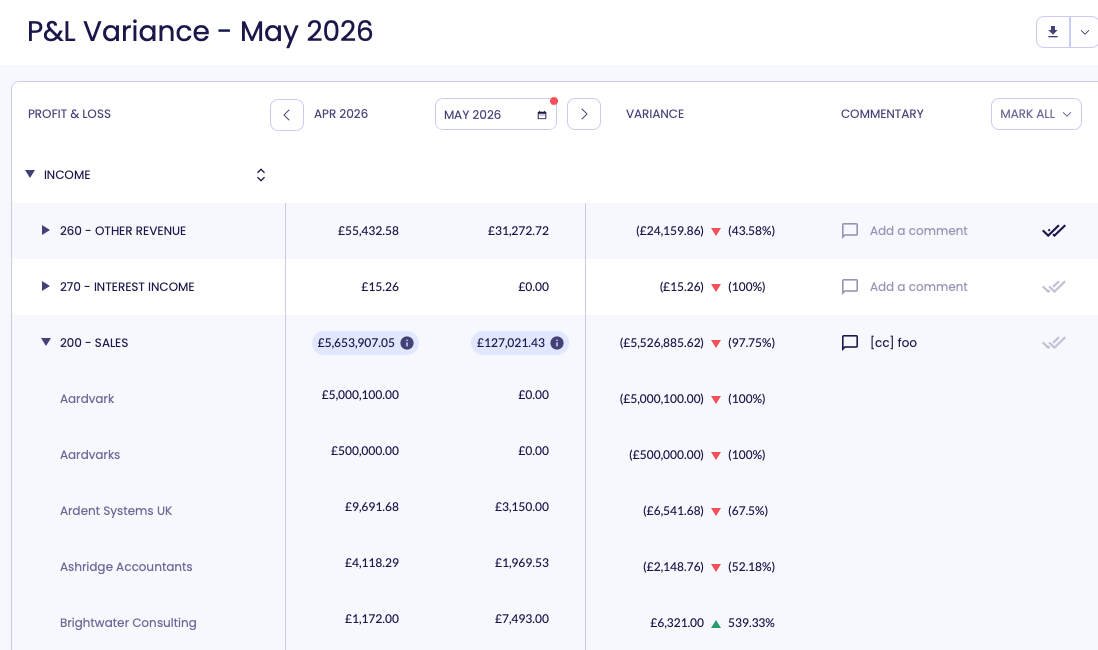
1: Get a clear overview of your
P&L variances
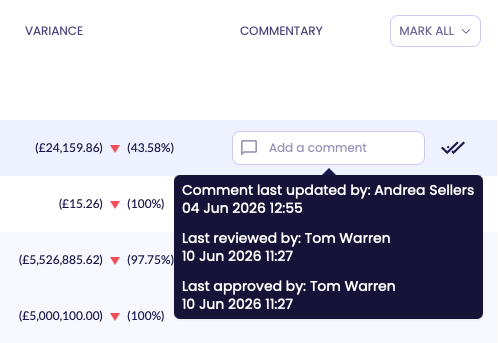
2: Add commentary
with ease
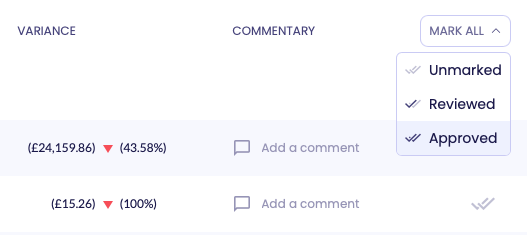
3: Review & mark as approved
Flux FAQs
What is Flux?
How does Flux help with P&L variance analysis?
Can Flux help write variance commentary?
Can teams review and approve variance analysis?
Can Flux be used across multiple entities?
What is flux analysis in accounting?
Flux is Powered by Mayday AIR
Our AI-powered engine transforms how you handle month-end operations, helping you save hours and eliminate costly errors.
First, AIR applies recognised accounting principles to make intelligent decisions like "should these transactions be matched?" or "What’s driving this P&L variance?"
Then, AIR applies your individual business context, learning what's typically done in your specific accounting files to suggest actions tailored to your workflows.
Mayday AIR is pre-trained on synthetic data and explicit customer consent, never on private customer data without permission.
Flux is part of the ultimate month-end toolkit
Bring your month-end workflows into one place, so your team can close faster with fewer surprises.
CORE
Flux
Quickly explain anomalies in your P&L with the help of AI-generated commentary
Prepayments
Automate the creation and recognition of your prepayment release schedules
Accruals
Automate scheduling and journal posting of your recurring and ad hoc accruals
Deferred Revenue
Automate the creation and recognition of your deferred revenue schedules.
INTERCOMPANY
Balancer
Keep your intercompany accounts and AR/AP balances in sync across your files
Mayday HQ
Easily manage Chart Of Accounts and Tracking Categories across your group
BRAG
Reconcile transactions to other entities from within Xero’s bank rec dashboard
Recharger
Automate your intercompany and interdepartmental recharges
Start a completely free trial of Flux today.
Or book a demo for a personlised walkthrough + Q&A.